
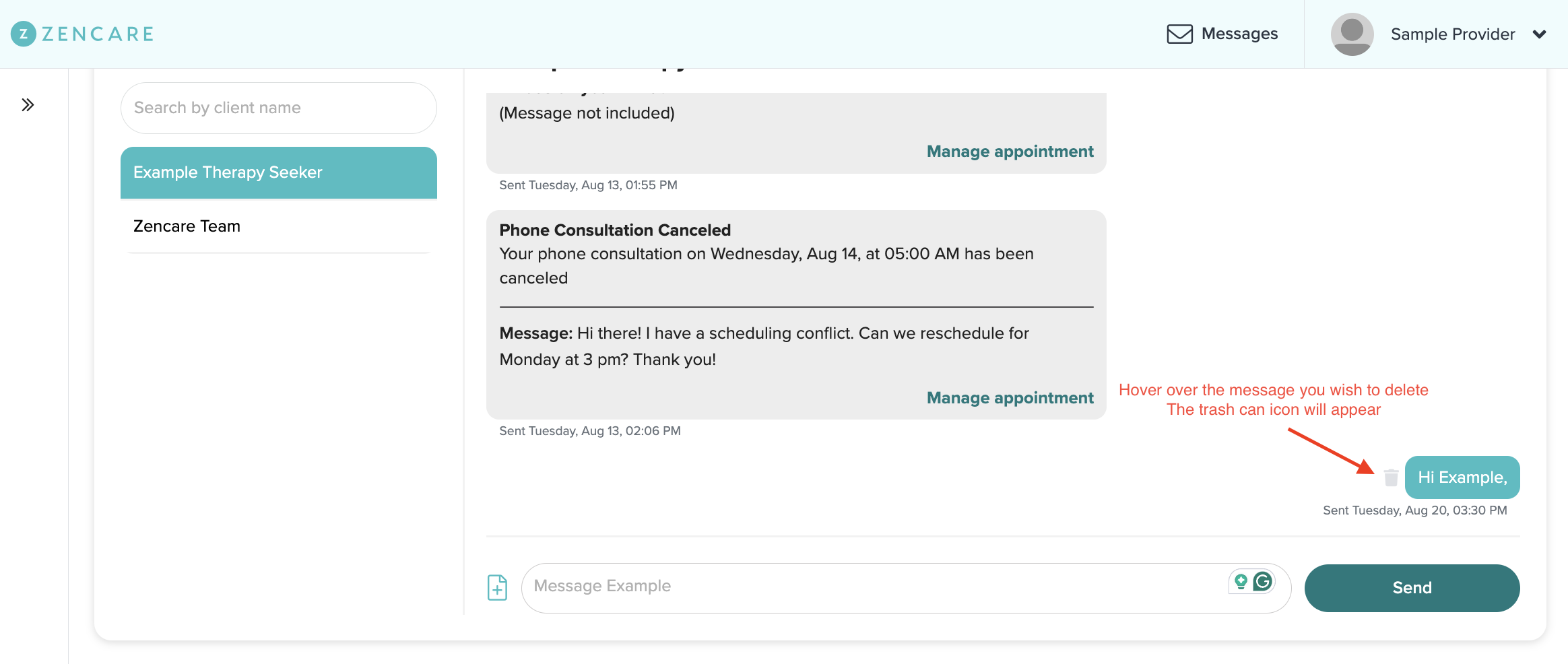
To delete a message that you have already sent to a client, hover over the message with your mouse. This will cause a small trash can icon to appear to the left of the message:
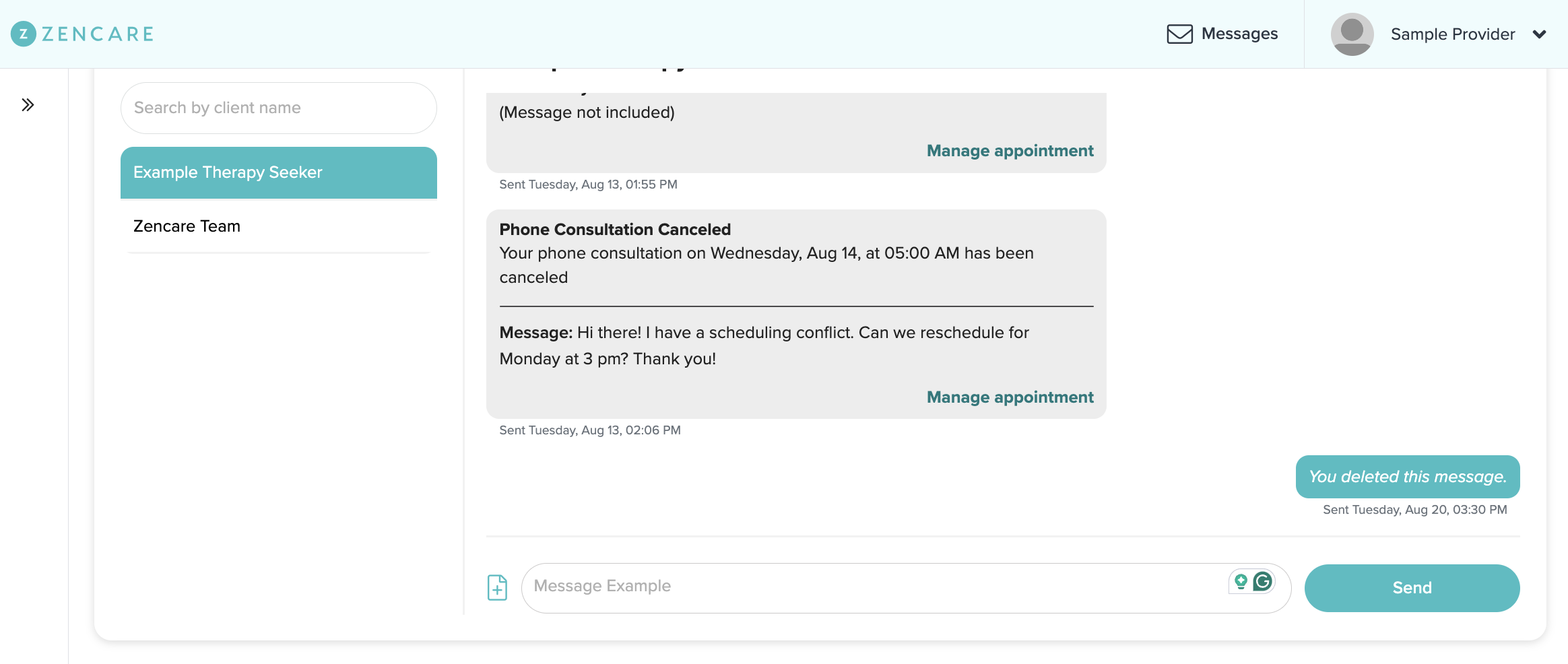
Clicking on the trash can will delete the message from the conversation, and it will no longer be visible to you or the client:
If the client has already been notified via email of a message that has since been deleted, they will not be able to access it upon login.
Comments
Please sign in to leave a comment.