
Note: If you are in a group practice and your practice owner pays for your membership, only they will be able to create a new profile.
- Log into members.zencare.co.
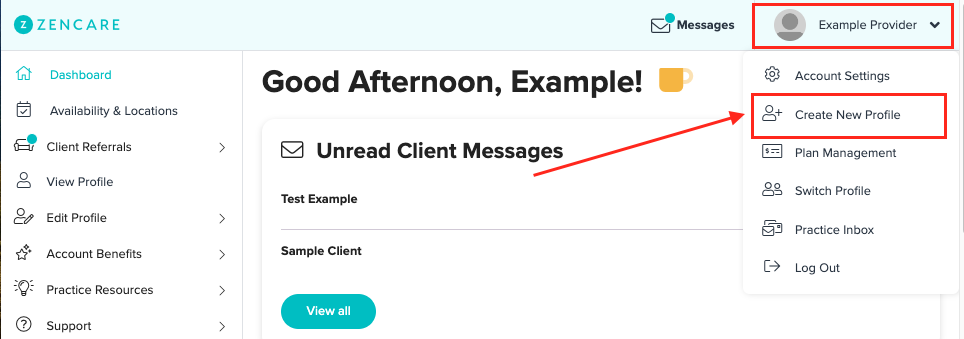
- Click on the image in the top right corner of the page and select "Create New Profile"
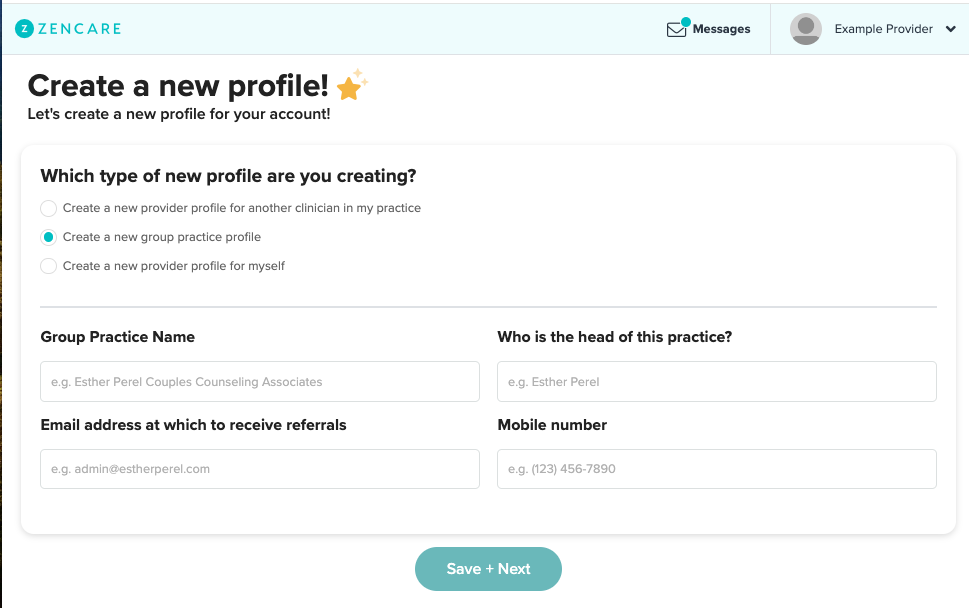
- Choose the second option in the list: "Create a new group practice profile."
- Fill out your group practice information, pay for the membership, and go live!
Comments
Please sign in to leave a comment.