
1. Log in to the Members portal.
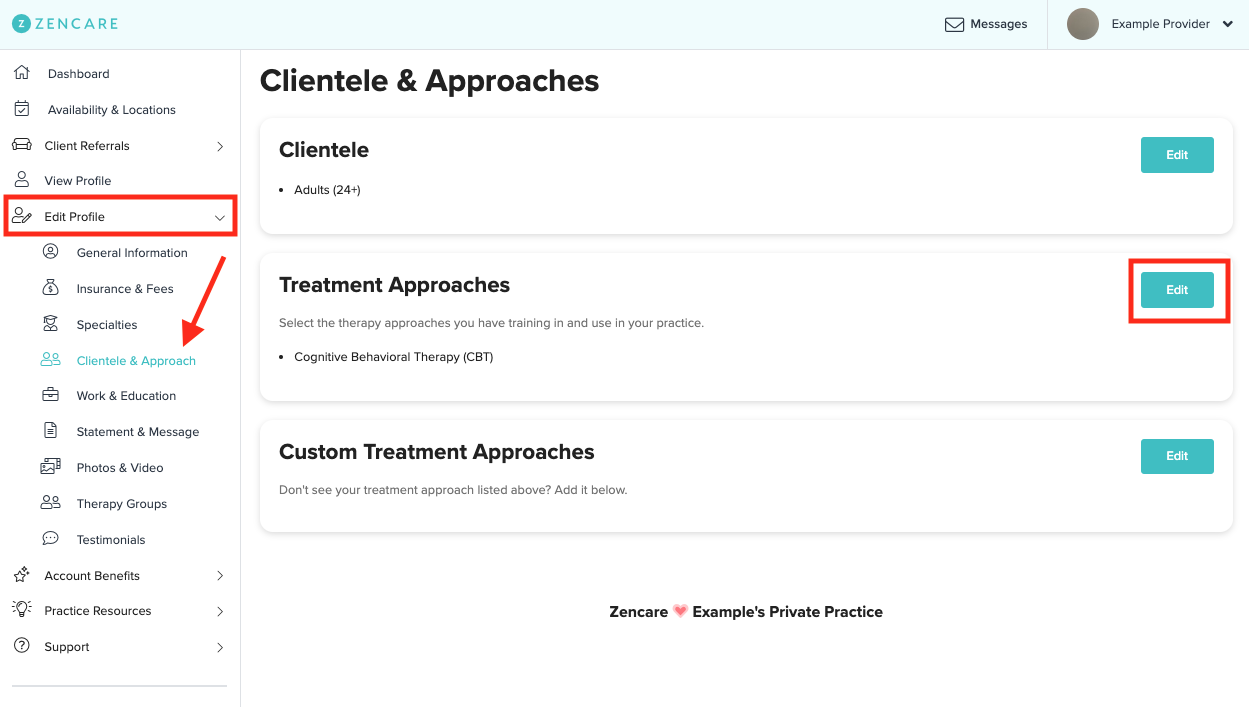
2. Navigate to the sidebar menu on the left side, and select the "Edit Profile" section, then click the Clientele & Approach tab. Under the Treatment Approaches section, click the "Edit" button.
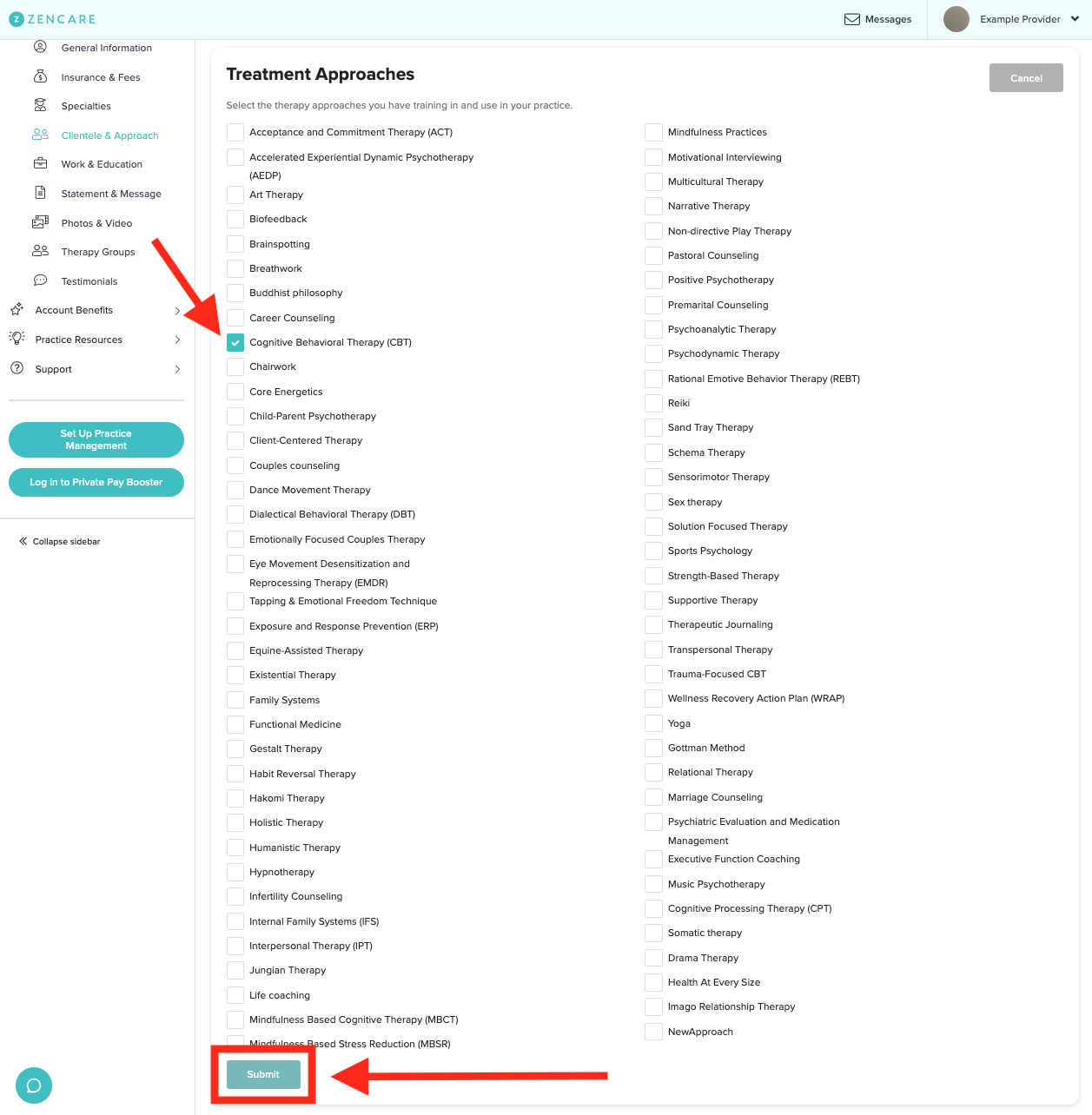
3. A full list of options will appear where you can indicate the therapy types you offer. Select and unselect the approaches that best suit your practice, then click the submit button. And if you don't see a therapy type you offer, refer to this article to add a custom treatment approach to your profile!
Comments
Please sign in to leave a comment.