
Here's how you can adjust the fees displayed on your Zencare profile:
1. Log into the Members Portal.
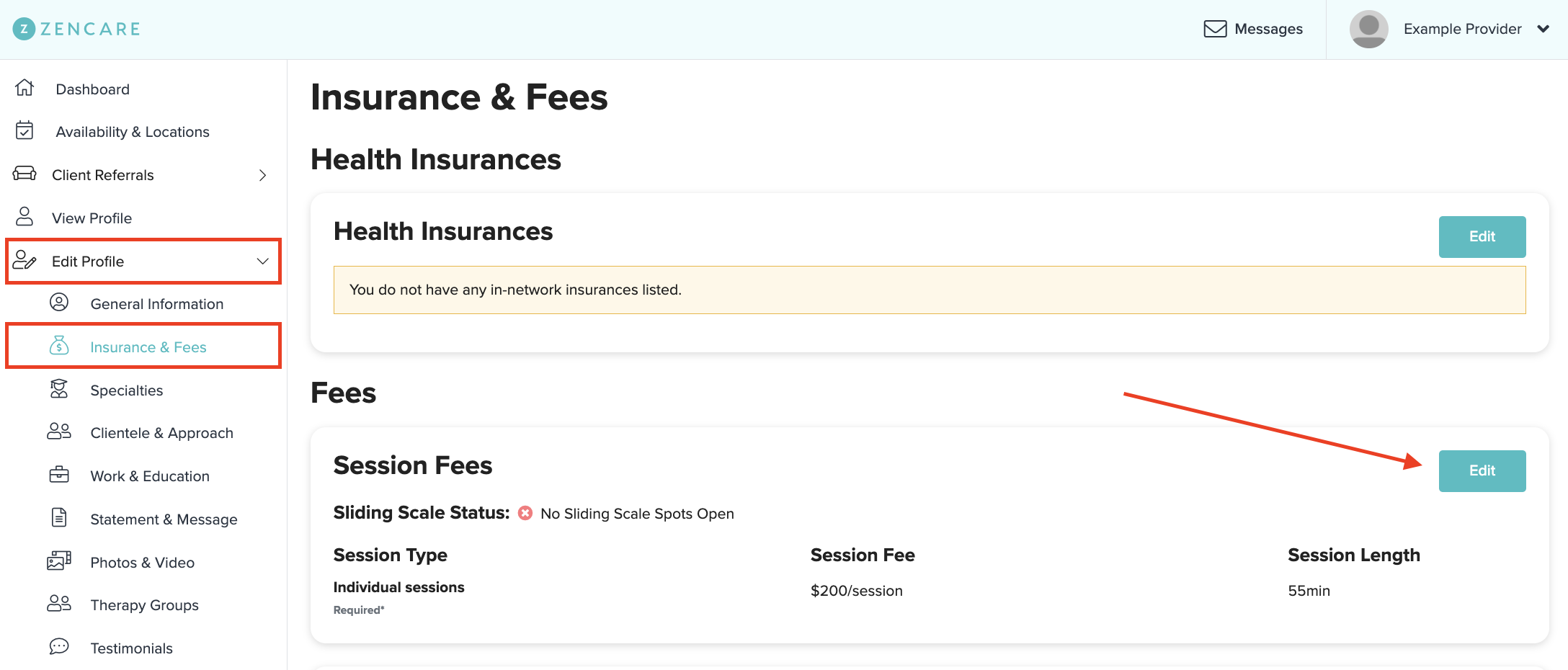
2. Navigate to the Insurance & Fees section of the portal, then click the "Edit" button under Session Fees:
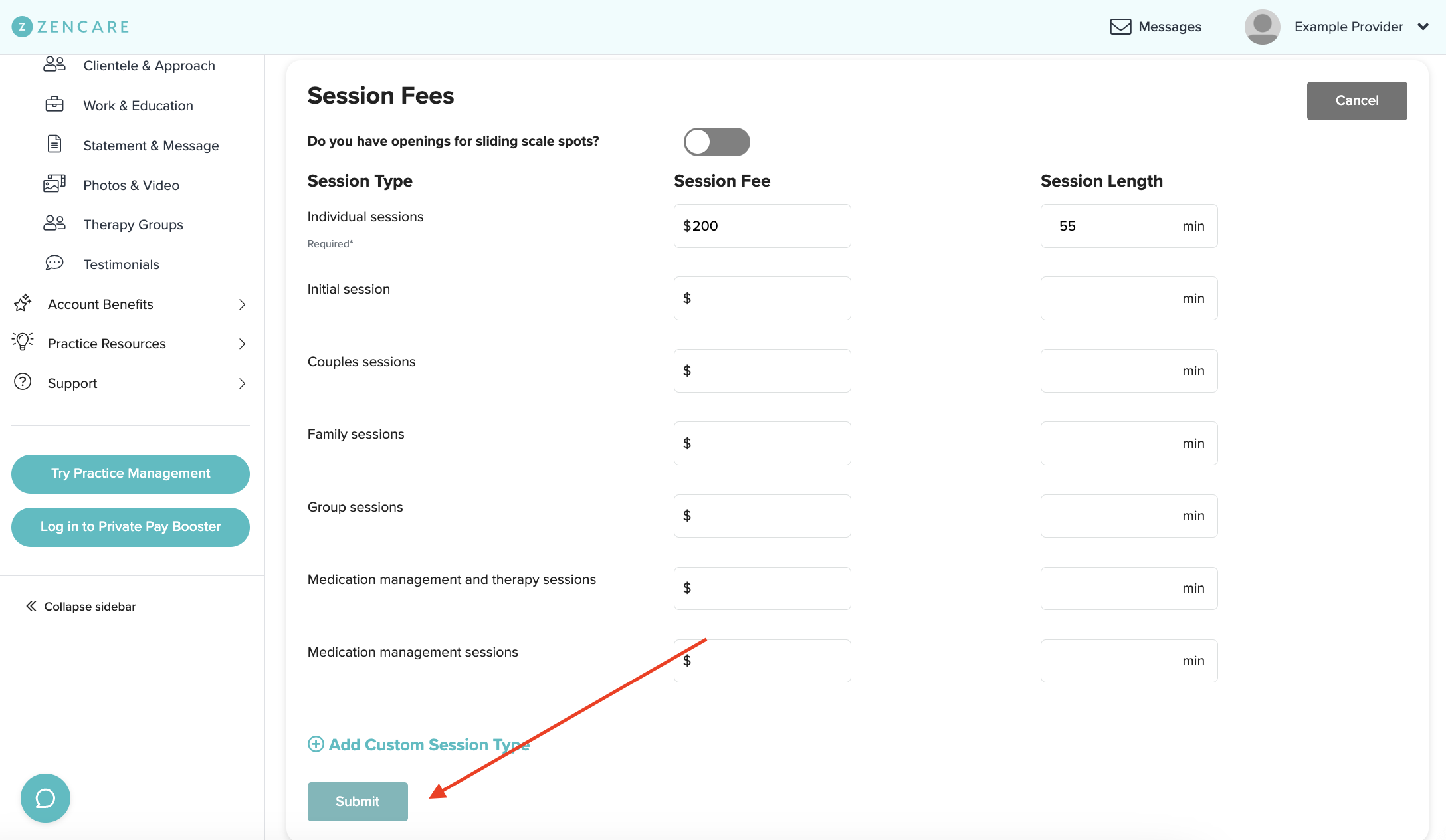
4. Adjust your session fees and length as needed, and be sure to hit Submit at the end!
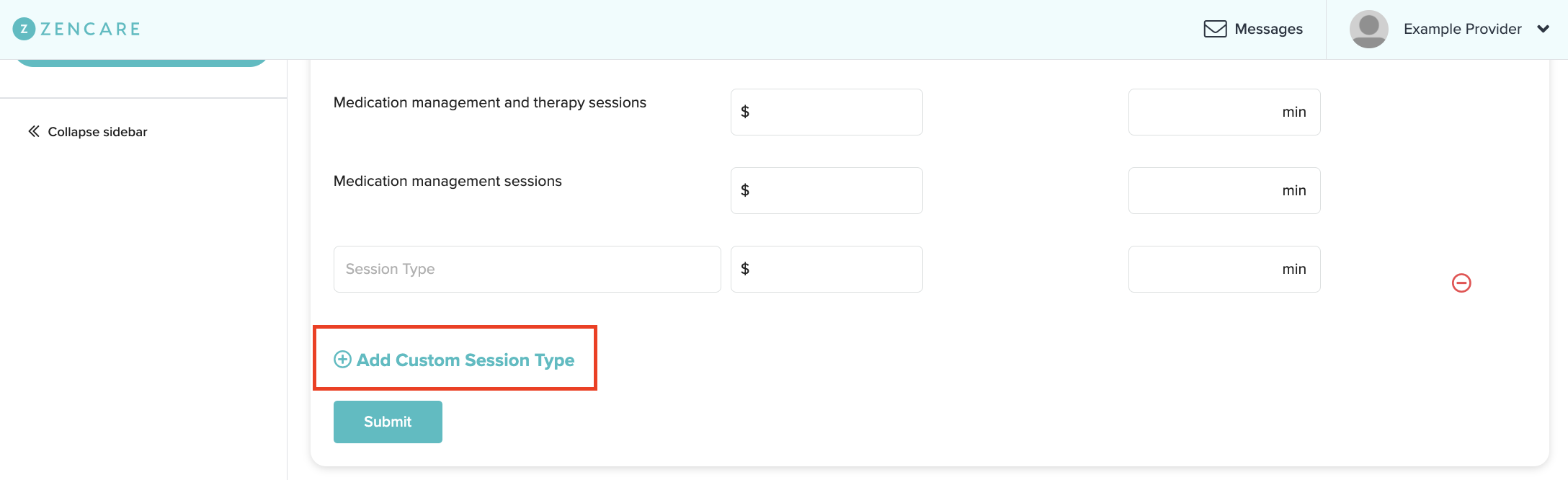
If you're offering a new session type, such as a free consultation or extended sessions, select "Add Custom Session Type", and indicate the session type, fee and length!
Comments
Please sign in to leave a comment.